Miscellanea is the newsletter for the independent thinker, at the intersection of digital content, knowledge management and culture. In this edition, we have In this edition, we have note taking ideas, the 80th Star Trek anniversary and Michelangelo’s David.
Edition No 17. Date: 8 September 026
If you like this newsletter, please forward it to a friend. You can sign up here.
Denken mit der Hand in German. Thinking by Hand in English. This is the motto of my favourite notebook brand, Leuchtturm1917. When I discovered them nearly 8 years ago, I found that their motto makes sense from a marketing point of view. It’s a stationery company; of course, they will say something about writing.
The motto had been popping up in my mind almost every time I wrote on paper. It's been annoying, because I was stopping to think about marketing, instead of the topic at hand (ha!). A few weeks later it hit me. The limitations of paper, the slowing down, are part of the process. The chase of productivity, of keeping track of everything (looking at you, Obsidianmaxxing gurus) makes you lose the big picture, makes you forget the research question and miss the satisfaction of taking notes and staying with your thoughts.
What does slow note taking look like? The system I’ll present here is not perfect. It’s possible it won’t work for everyone. I want it to be a starting point for anyone who wants to take control back of their time, while enjoying the work they are doing.
Note taking while reading
My digital reading of PDFs and EPUBs happens in Zotero. It’s a reference manager that has a good reading engine, where I can make highlights and add notes to them. What I like is that Zotero can add, in most PDFs, the page numbers of each highlight. All highlights and notes will end up synced in Obsidian.
Reading on paper is where things get a bit more complex. For fragments I want to keep or cite later, the page will be marked with a coloured bookmark and the paragraph will be outlined with pencil. Then I will note the “why” or other ideas in my reading notebook, under the page number as reference.
In this paper notebook, every book or article I'm reading has a section with details about the author, themes and my notes. Connected information like a similar book, dates, or names get recorded directly. My thoughts, connections I make, or questions are noted down.
When I finish reading, I’ll photograph and OCR all bookmarked paragraphs and include them in a literature note in Obsidian. The notes made on paper will end up in the same digital note.
Organising after reading
Now that we have our highlights and annotations, we need to organise them somehow. Using Umberto Eco’s book How to Write a Thesis as a guideline, we will have bibliographic notes, index notes and keyword notes.
A bibliographic note is one where all the highlights, ideas, and information about a book will live. Here you can add details about the book like author, publisher, year and also quotes, diagrams and so on.
An index note collects all the bibliographic notes you have done. It’s organised alphabetically (by author or title) and is hyperlinked to each one. The job of the index note is to help you navigate all the information you're gathering.
The last type of note is the keywords note. Here you will add topics, subjects of interest and the links to the bibliographic notes that discuss that topic. This type of note is versatile, because you can have:
a note for authors and everything written by that author
a note collecting quotes related to a subject
a note collecting references to specific topics, working like an index card
This system is created with the idea that the final organisation happens in a digital note-taking tool, like Obsidian. Of course, it can be created in an analogue version where hyperlinks will be replaced by page numbers and notebook numbers. For example, my reading notebook has an index where each book is added with the author, title, and the notebook’s page number.
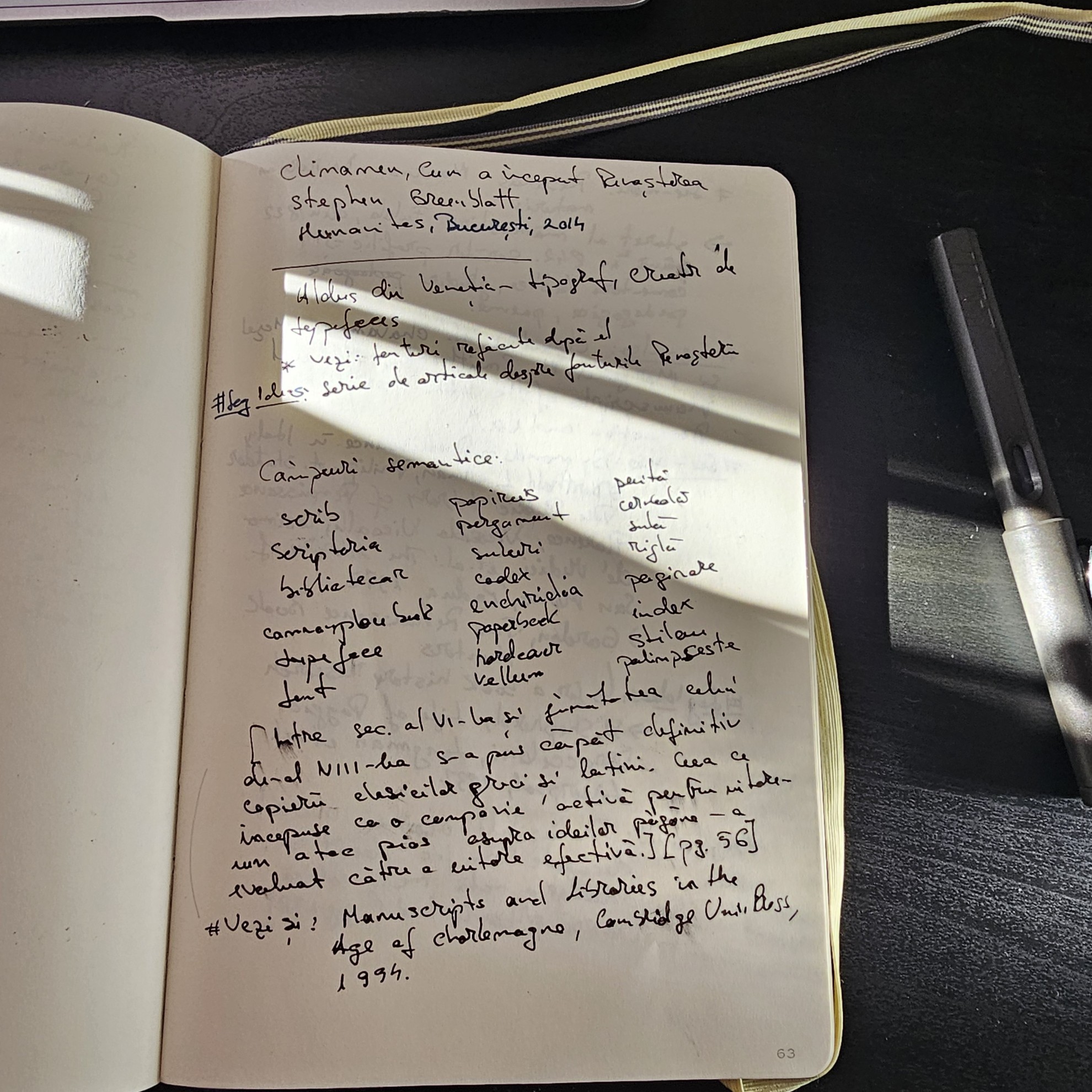
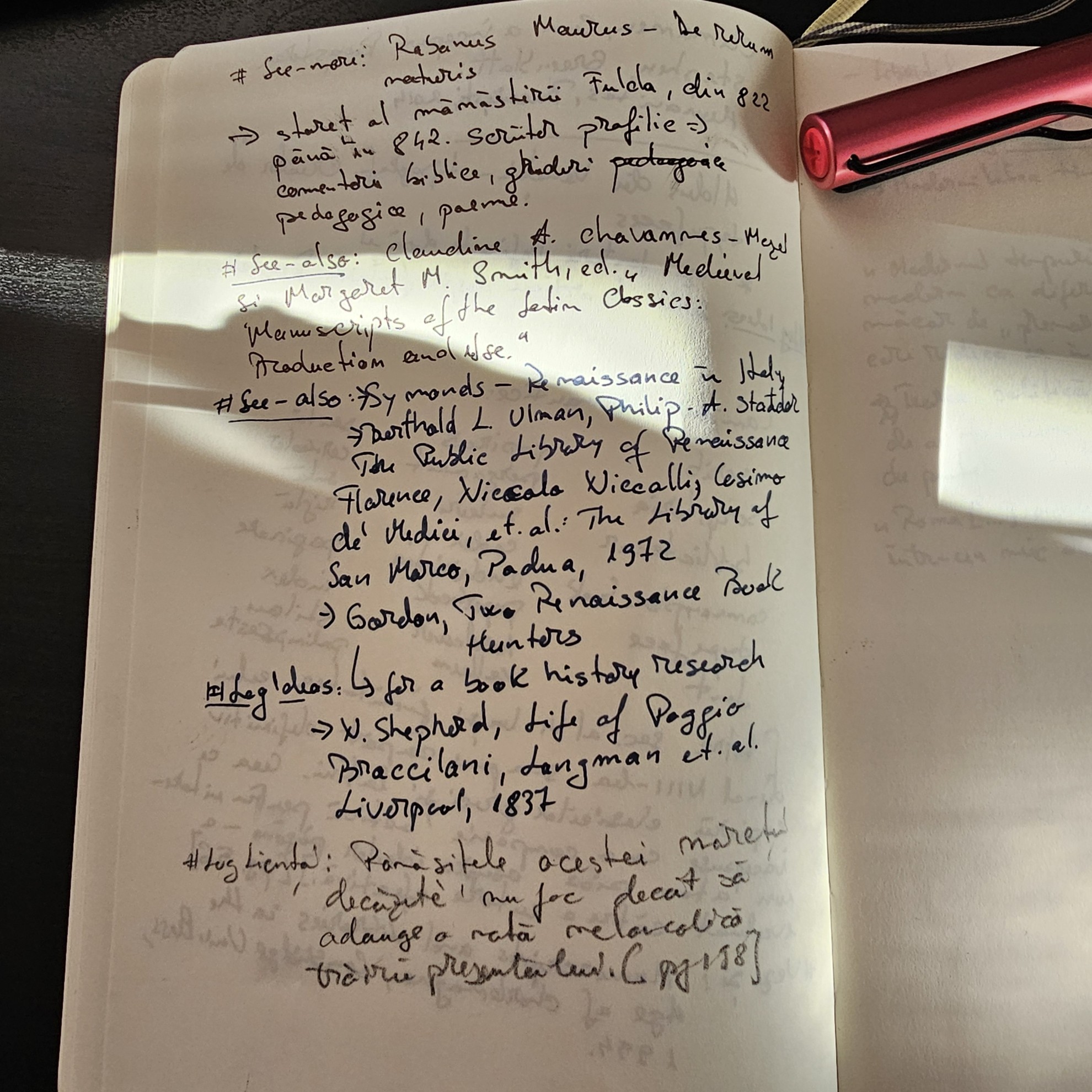
Two pages of my reading notebook.
What to read
Duly Noted by Jorge Arango. An easy-to-read book about taking notes, connecting ideas and how to collaborate. Plus, it has interviews with people from different backgrounds about how they take notes. Love this kind of thing. Link to the book
What to listen
My playlist of jazz for writing and reading. 35 hours of music that will not distract you. Link to the Spotify playlist
What to watch
522 years ago, on September 8th 1504, the statue of David by Michelangelo was unveiled. Check out the Galleria dell'Accademia di Firenze video in which they discuss the history and symbolism of the statue.
If you want something more modern, the second season of the TV series The Gentlemen is out. Guy Ritchie doesn’t disappoint. It has drugs, guns, drama, Italian lakes and villas, and it’s nice to see something that is not about LLMs or tech.
What to use in your work
80 years ago, the first episode of Star Trek aired on NBC. Le Creuset has created an anniversary edition of cookware. Who doesn’t want a Shuttlecraft Casserole?
Main image: author's Obsidian vault graph view
Tagged
You might also like
-
How to run an independent newsletter

- Written by Daniel Prindii
- Published on
-
Mia Pantoja (EmailOctopus) answers The Questionnaire
- Written by Daniel Prindii
- Published on
-
Summer reads recommendations
- Written by Daniel Prindii
- Published on
-
On Liquid Content and LLMs
- Written by Daniel Prindii
- Published on
-
Can you prove you writing is your own, and it wasn’t AI-generated?
- Written by Daniel Prindii
- Published on


